Basic Improvement
- Replaced lumpy with smoove (GitHub - brentp/smoove: structural variant calling and genotyping with existing tools, but, smoothly.) → Resolved the server crash issue
LUMPY versus smoove: comparison tests
Project Overview
Because the standard LUMPY workflow had an issue with excessive runtime, I tested the LUMPY pipeline using the following approaches:
- lumpyexpress with BED: Provided the complete BED file from the smoove GitHub repository, which is designed for hg38.
- lumpyexpress without BED: Ran lumpyexpress without providing a BED file.
- smoove with BED: Provided the complete BED file from the smoove GitHub repository, which is designed for hg38.
- smoove without BED: Ran smoove without providing a BED file.
Sample A
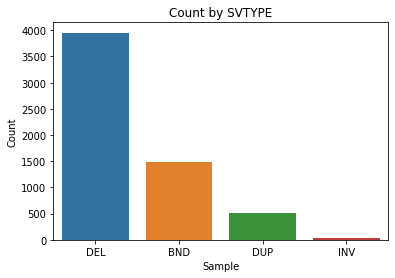
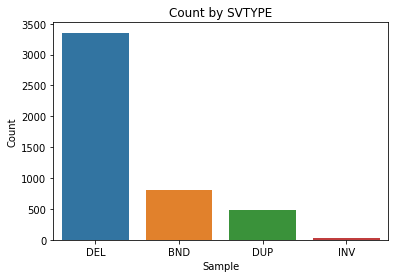
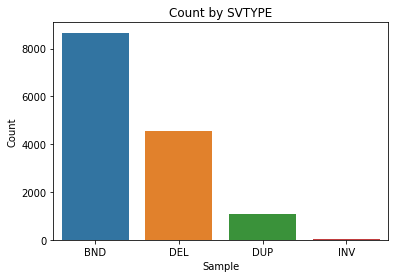
line counts of SV
| with bed | without bed | |
|---|---|---|
| lumpyexpress | 5991 | NEVER COMPLETED |
| smoove | 4168 | 4667 |
lumpy with bed
smoove with bed
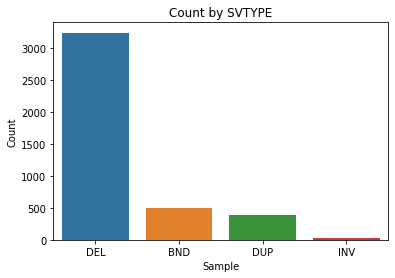
smoove without bed
Sample B
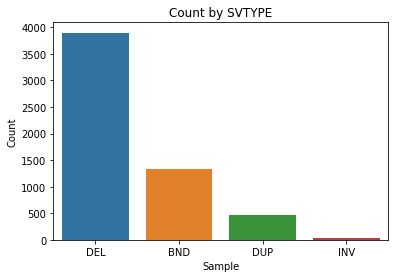
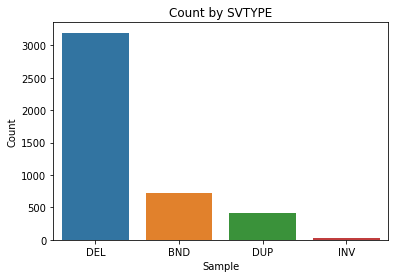
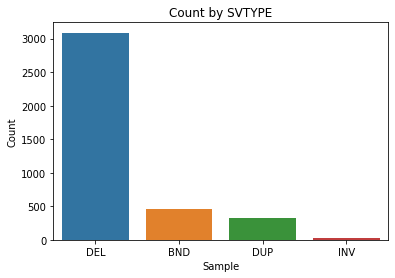
line counts of SV
| with bed | without bed | |
|---|---|---|
| lumpyexpress | 5730 | 14347 |
| smoove | 3904 | 4360 |
lumpy without bed
→ obvious more BND? lumpy with bed
smoove without bed
smoove with bed
- Run six SV callers in parallel to improve execution efficiency.
Introduce Git Culture & Refactor Product Line For Easier Maintenance
Project Overview
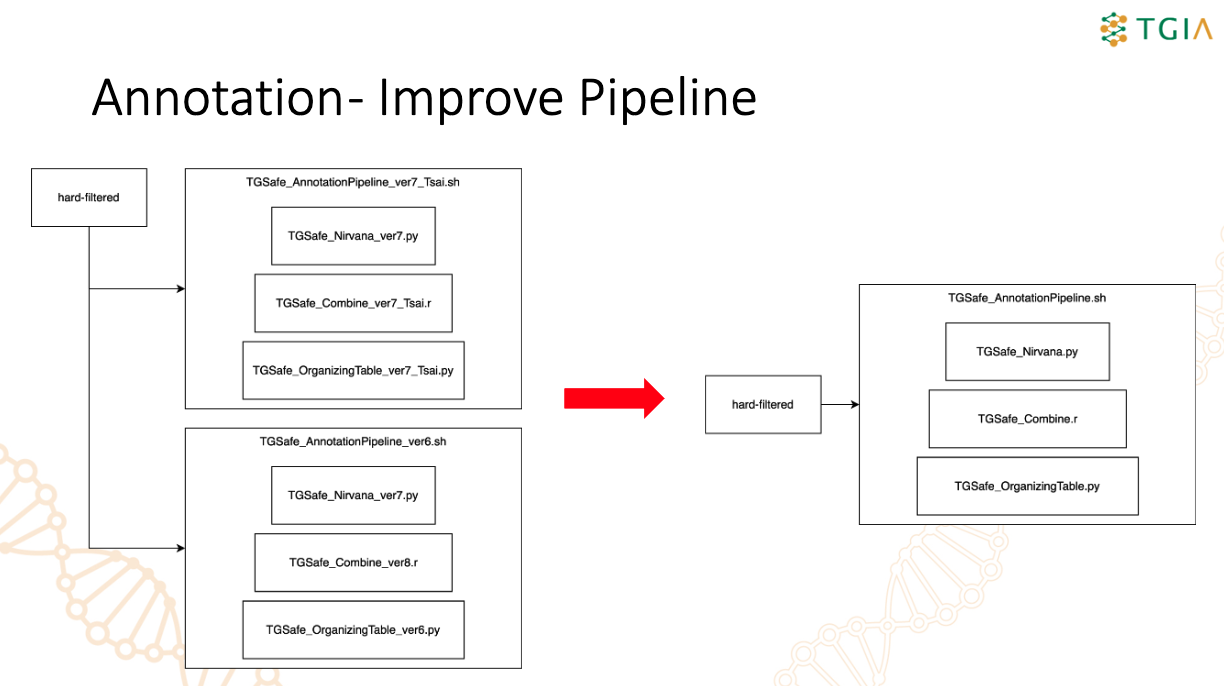
The legacy TGSafe annotation workflow was scattered across multiple scripts and versioned files, making it hard to maintain, debug, and update consistently. I refactored and integrated the workflow into a single command-line pipeline, TGSafe_AnnotationPipeline.sh, to centralize the annotation process and simplify management. The unified pipeline now handles SNV/INDEL annotation, result integration, filtering, SV/CNV annotation, optional mitochondrial analysis, and output shipping in one controlled workflow. This refactor improved maintainability, reduced duplicated logic, made WES/WGS and Tsai/TGIAE branching easier to manage, and created a cleaner foundation for future optimization.
MOPline
Project Overview
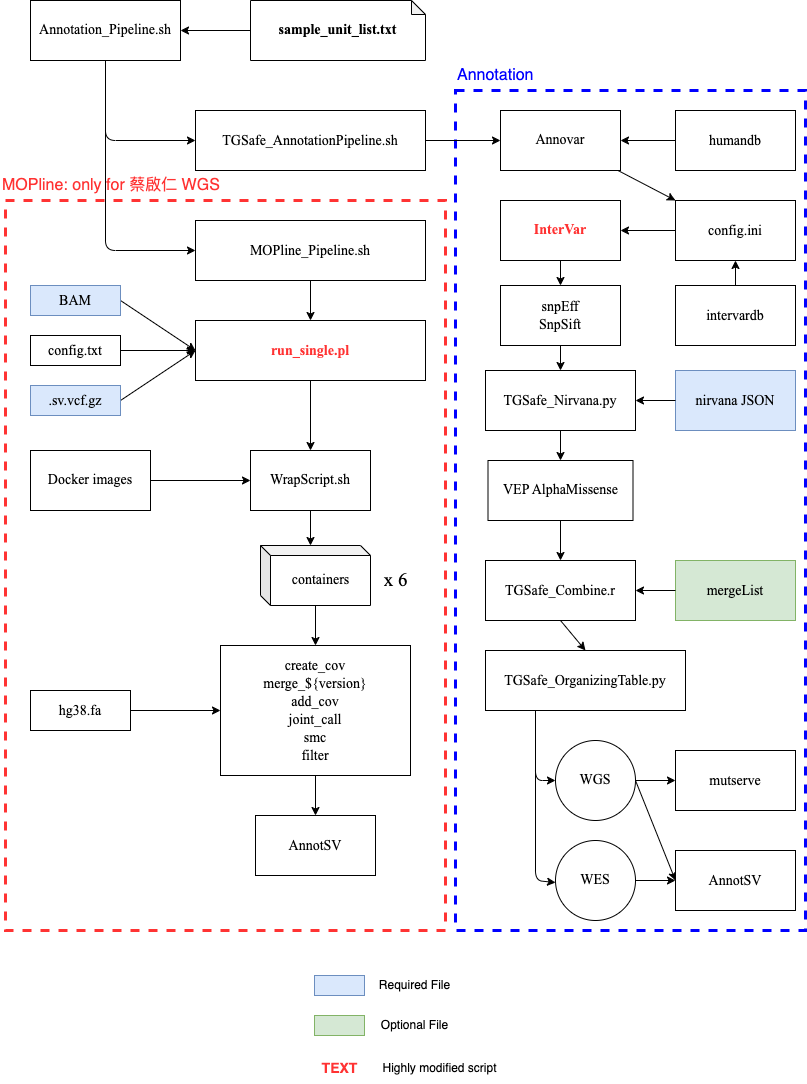
This project adapts MOPline into a practical, container-oriented structural variant pipeline for internal WGS analysis. The original MOPline workflow provides the core SV integration logic, including merging calls from multiple SV callers, adding coverage evidence, joint calling, genotyping, annotation, and filtering. This customized version keeps that analytical backbone but redesigns the execution layer so that each external tool can run in an isolated containerized environment. The main engineering goal is reproducibility and operability. Instead of requiring every SV caller and its dependencies to be installed directly on the host machine, the pipeline delegates tool execution to containers. This allows tools with conflicting software stacks, legacy operating system requirements, Java versions, compiled libraries, or reference data layouts to coexist in the same workflow. The pipeline is organized around a single-sample WGS use case. It prepares the input alignment, runs multiple SV callers, normalizes caller outputs into MOPline-compatible VCFs, merges evidence across tools, adds coverage-based support, performs joint calling and SMC-based refinement, annotates variants, filters candidate SVs, and exports final results for downstream review.
Key Distinction from Source Code
A key distinction from the original MOPline GitHub version is that this implementation is not only a script collection for running MOPline commands. It introduces a container-aware orchestration layer around the SV callers and supporting utilities. The Perl runner scripts and wrapper scripts were modified HEAVILY so that tool commands are launched through containers, while the pipeline still preserves MOPline’s expected input/output structure.
Main Challenges
- Containerizing multiple SV callers that cannot realistically be installed together in one host environment.
- Handling conflicting dependencies across tools, including OS versions, Java/R versions, compiled libraries, and binary packages.
- Mapping host paths, reference files, inputs, outputs, and working directories correctly into each container.
- Controlling CPU and memory usage so parallel containerized callers do not overload the server.
- Keeping containerized execution compatible with MOPline’s original downstream merging, genotyping, annotation, and filtering workflow.
Database
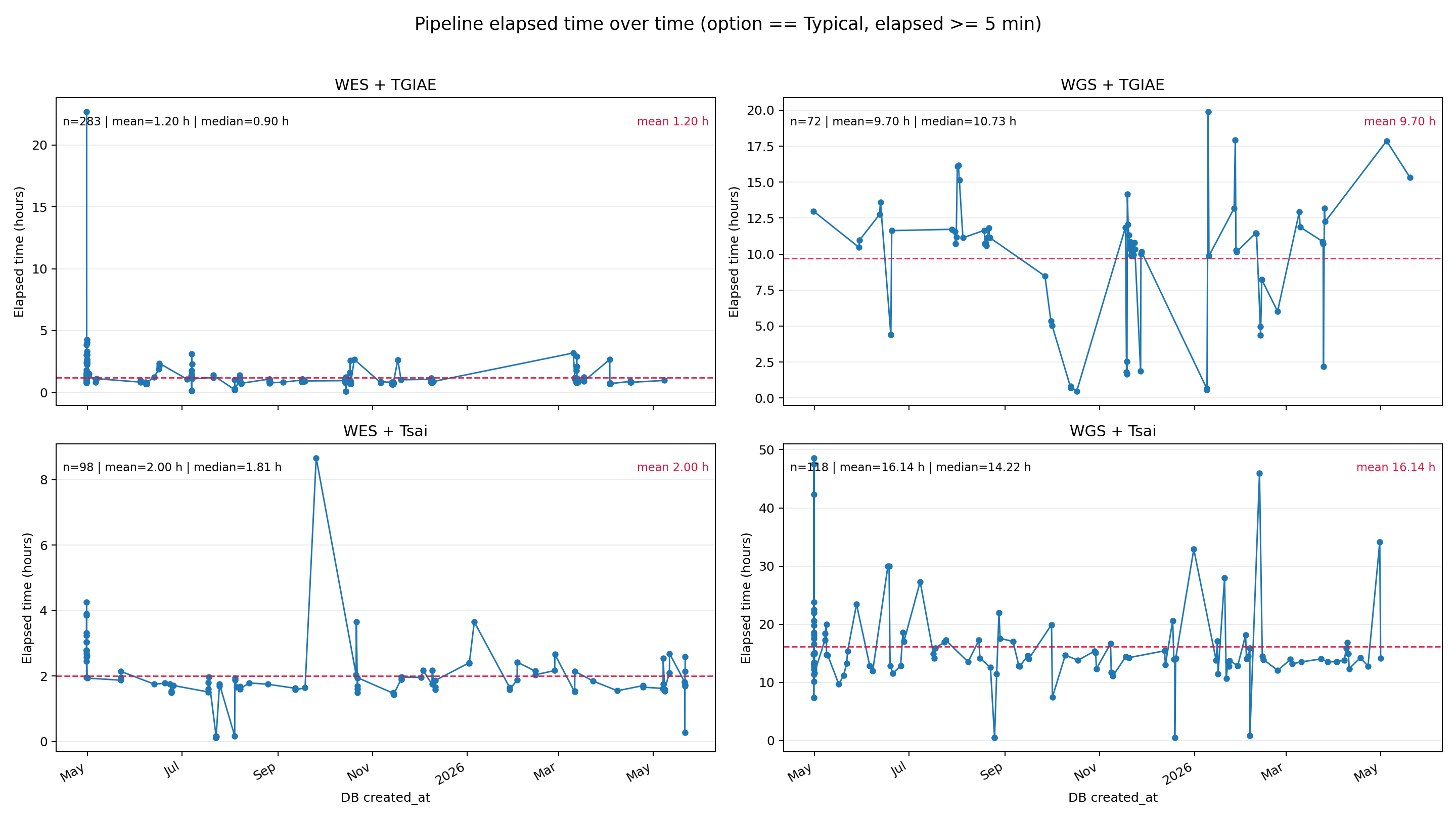
I created the database to mainly track elapsed time of analysis of different pipelines and validation results. It is also useful for trend analysis, such as comparing runtime across sample types, modes, and pipeline versions over time.